If you would like to see detailed images of each of these measurements demonstrated on a model and on a sample pattern, please visit the PatternMaker Pro Measurement Definitions page.
New to these instructions? Practice Basics explains point movement, how to read each step and contains other helpful tips.
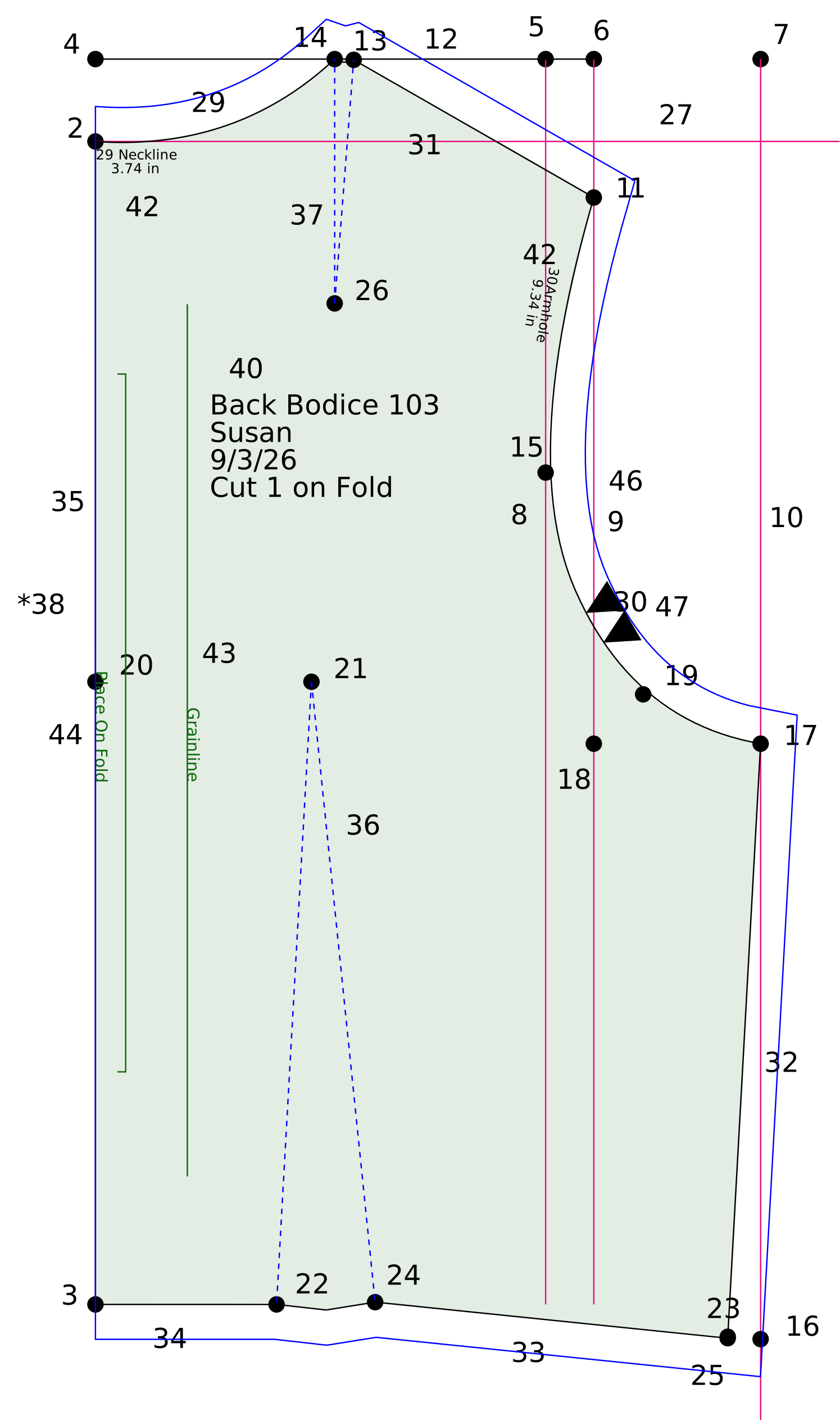
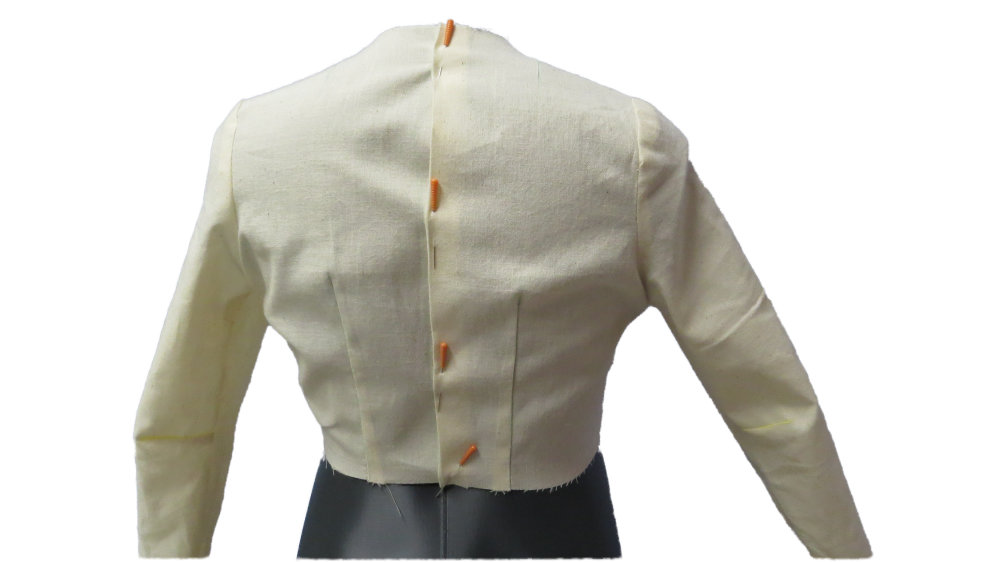
This pattern goes along with the Bodice Front 103-F1 draft. I recommend that you open that draft and add this back pattern to the same file. This allows you to make pattern modifications later that require both the front and back patterns together. Also, this will allow you to true the armhole curves.
A shoulder dart may not be required. If the Neck Point extends beyond the Side Neck Point relative to the Center Neck, discard the Neck Point. Draft the neckline curve through the Side Neck Point and omit the shoulder dart.
Layers > Add Layer
1Back Draft
Parent: PMP
Name: Back Draft
Save & Switch
Points > Add Free Point
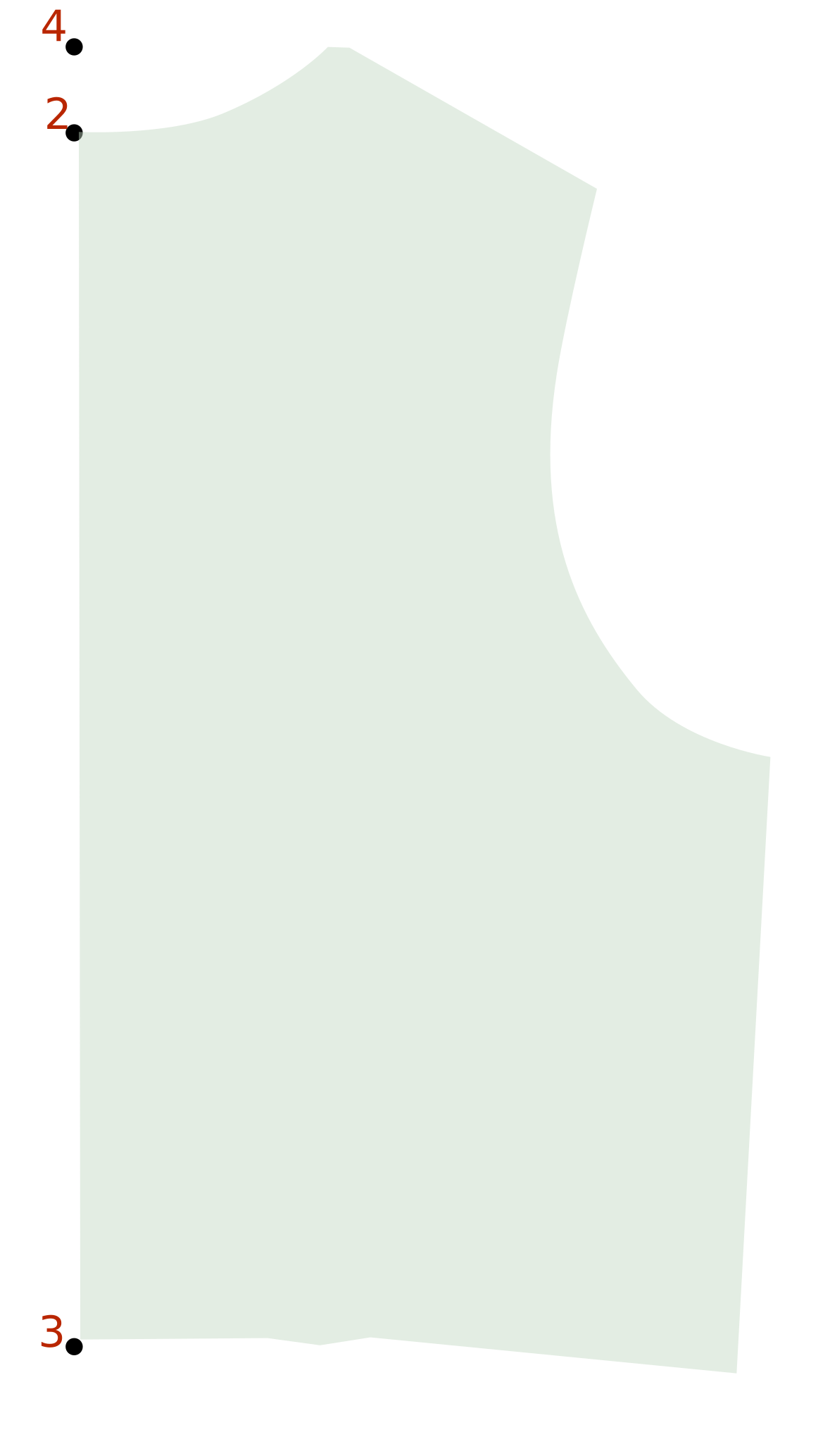
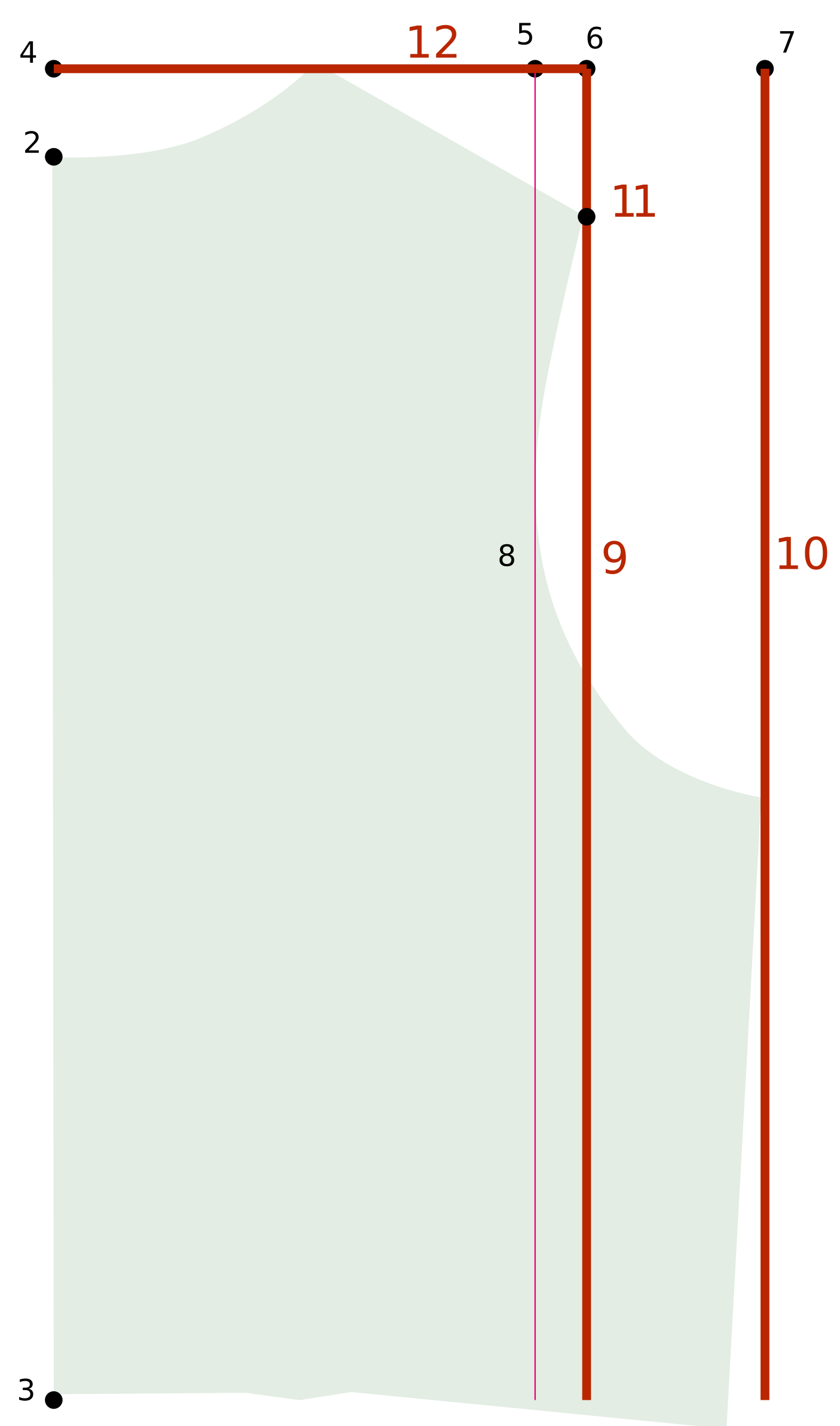
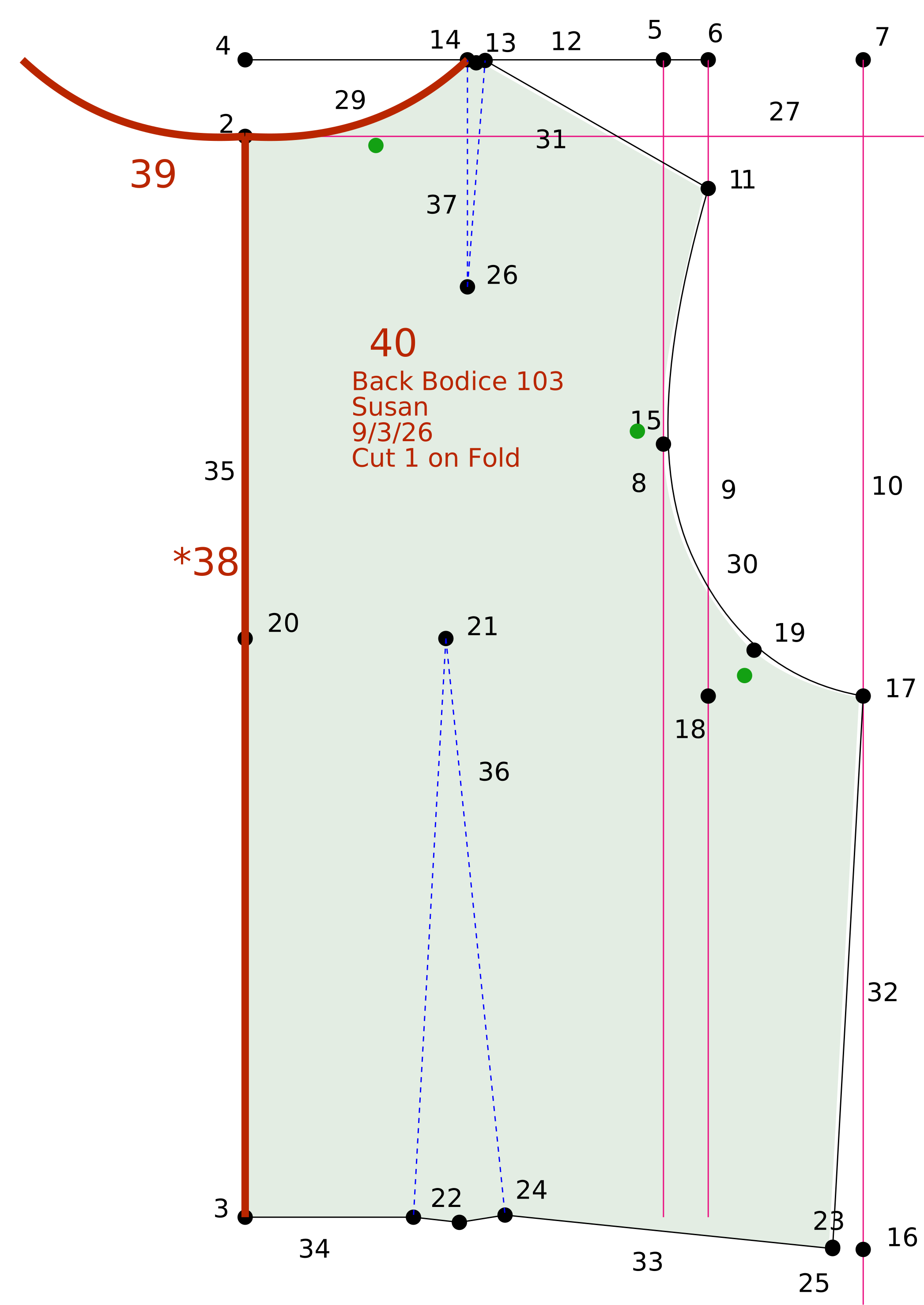
2Center Neck
This pattern drafts from the left towards the right. Place this point to the right of the front draft.
Points > Add Point from Point
3Center Waist
Base:2Center Neck
Y: {Center Length Back}
Points > Add Point from Point
4Full Length Ref Pt
Base:3Center Waist
Y: - {Full Length Back}
Points > Add Point from Point
5Across Ref Pt
Base:4Full Length Ref Pt
X: {Across Back} / 2
Points > Add Point from Point
6Shoulder Ref Pt
Base:4Full Length Ref Pt
X: {Shoulder Across Back} / 2
Points > Add Point from Point
7Bust Ref Pt
Base:4Full Length Ref Pt
X: ({Bust Back} / 2) + ({Bust Ease} / 4)
Lines > Add Reference Line
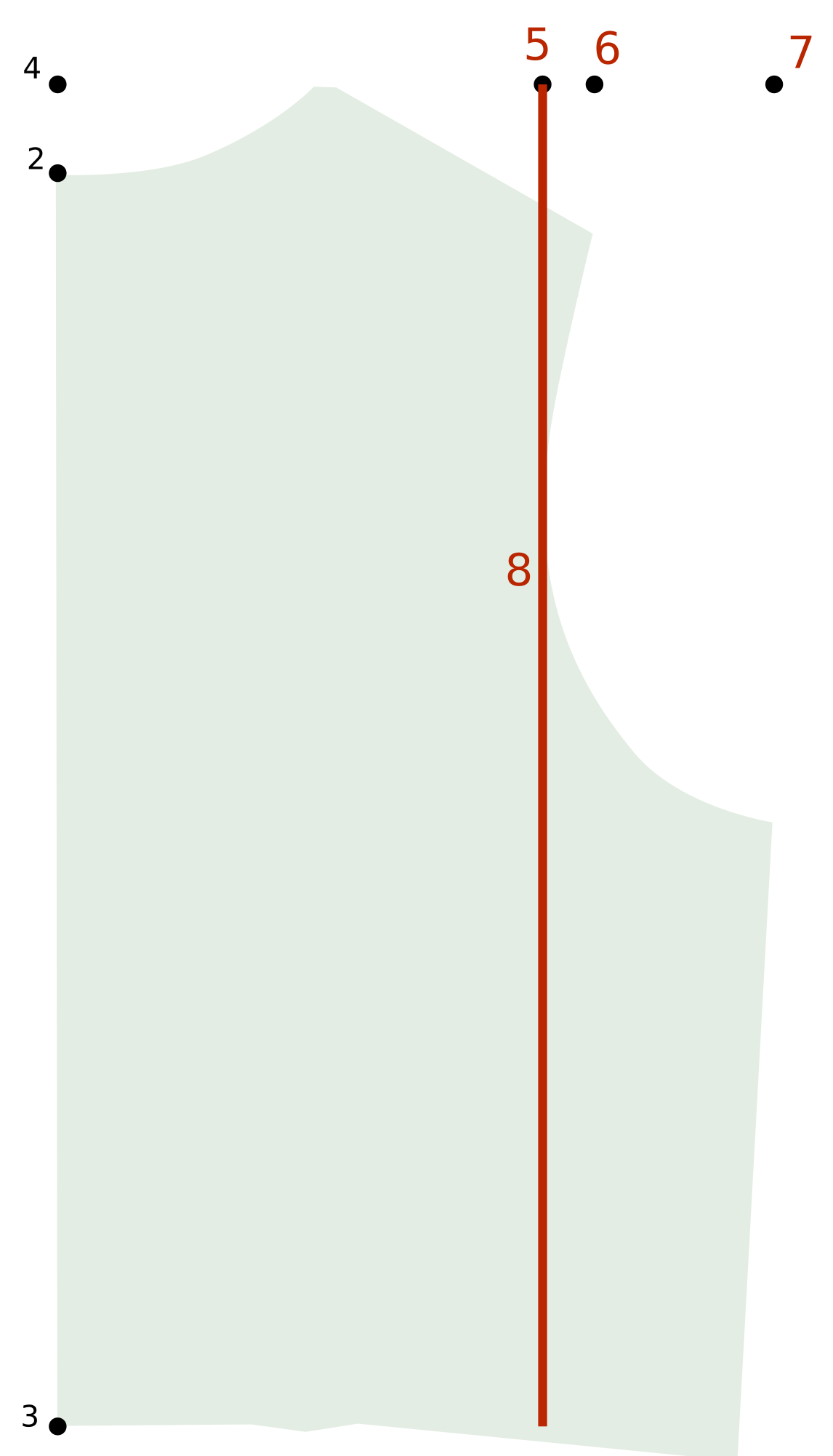
8Across Ref Line
Start:5Across Ref Pt
Direction: Vertical
Length: Set distance {Full Length Back}
Lines > Add Reference Line
9Shoulder Ref Line
Start:6Shoulder Ref Pt
Direction: Vertical
Length: Set distance {Full Length Back}
Lines > Add Reference Line
10Bust Ref Line
Start:7Bust Ref Pt
Direction: Vertical
Length: One direction (down)
Points > Point on Line at Distance
11Shoulder
From:3Center Waist
Distance: {Shoulder Slope Back}
Line:9Shoulder Ref Line
Lines > Add Line
12Shldr Length Ref Line
From:4Full Length Ref Pt to 6Shoulder Ref Pt
Points > Point on Line at Distance
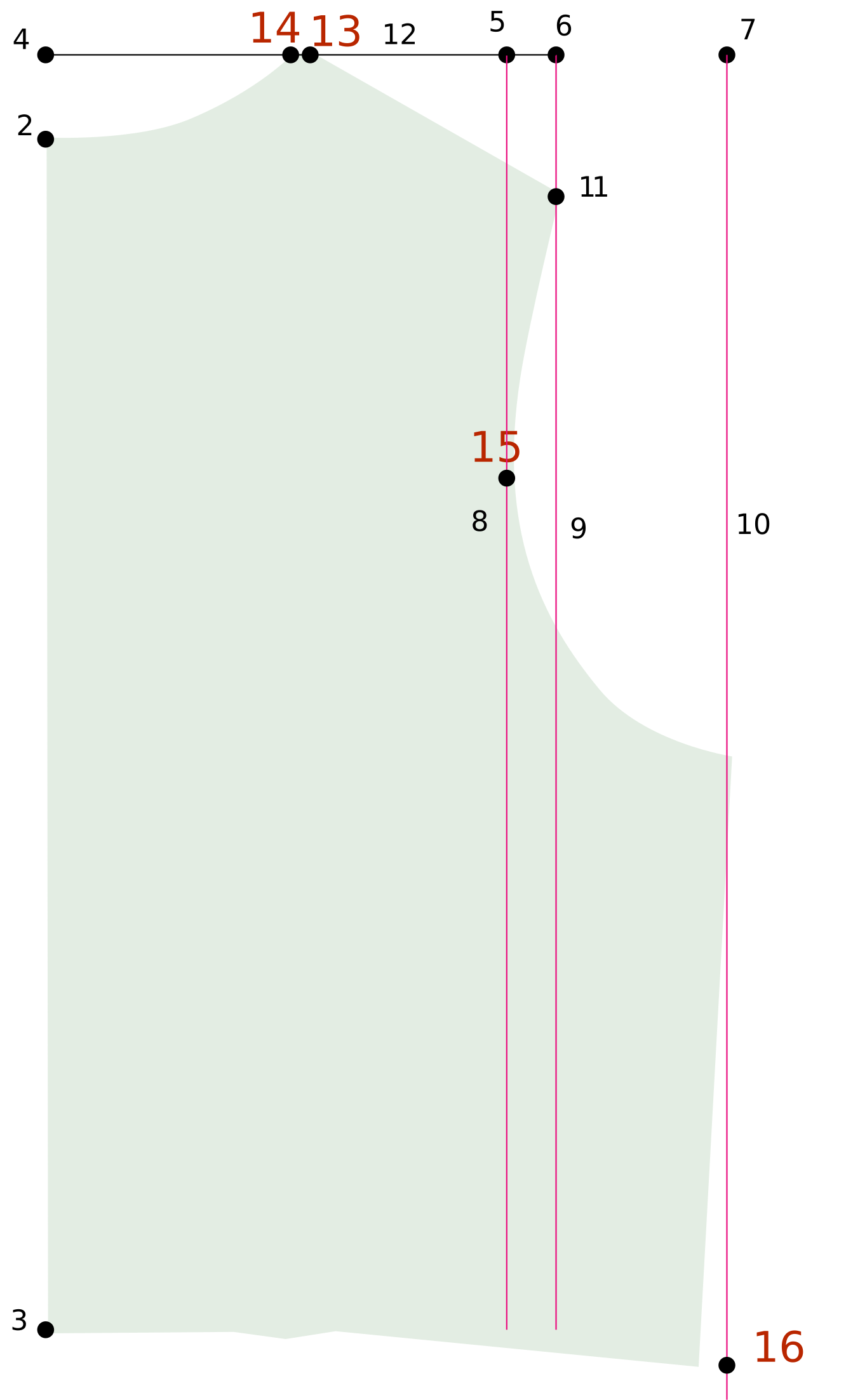
13Side Neck
From:11Shoulder
Distance: {Shoulder Length}
Line:12Shldr Length Ref Line
Points > Point on Line at Distance
14Neck Pt
From:2Center Neck
Distance: ({Neck Back} / 2) - 0.125" or 3 mm
Line:12Shldr Length Ref Line
Points > Point on Line at Distance
15Mid-Arm
From:11Shoulder
Distance: 4" or 100 mm
Line:8Across Ref Line
Points > Point on Line at Distance
16Side Ref Pt
From:15Mid-Arm
Distance: {Shoulder Height Back} - 4" or 100 mm
Line:10Bust Ref Line
Points > Add Point from Point
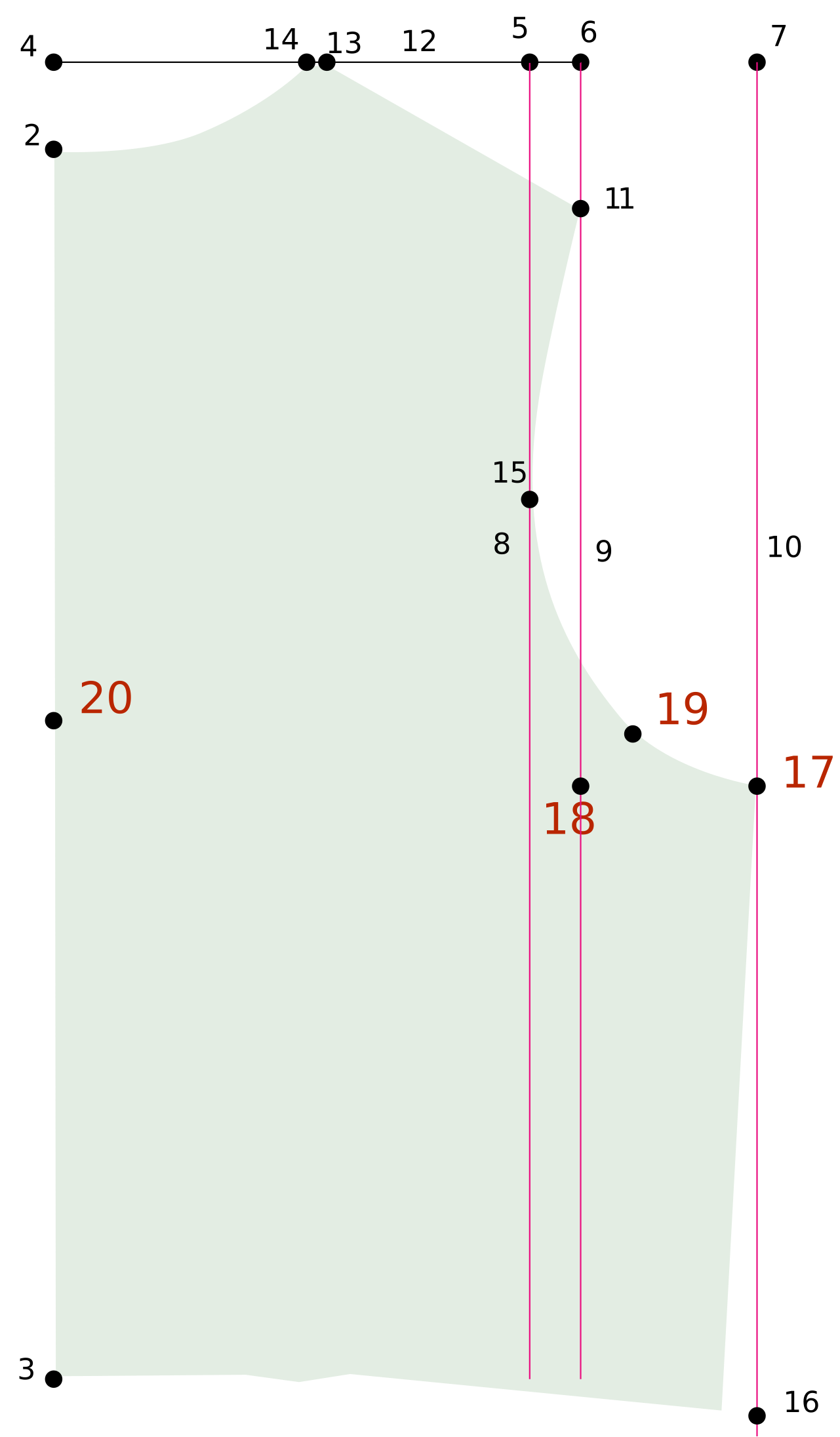
17Armpit
Base:16Side Ref Pt
Y: - ({Side Length} - {Armhole Drop})
Points > Add Point from 2 Points
18Armpit CP Ref
17Armpit, 6Shoulder Ref Pt
X:6Shoulder Ref Pt
Y:17Armpit
Points > Bisect Points
19Bisect Armhole
Select:17Armpit, 6Shoulder Ref Pt
Extend:18Armpit CP Ref
Distance: 1" or 25 mm
Points > Add Point from Point
20Blade Ht
Base:3Center Waist
Y: - {Blade Height Back}
Points > Add Point from Point
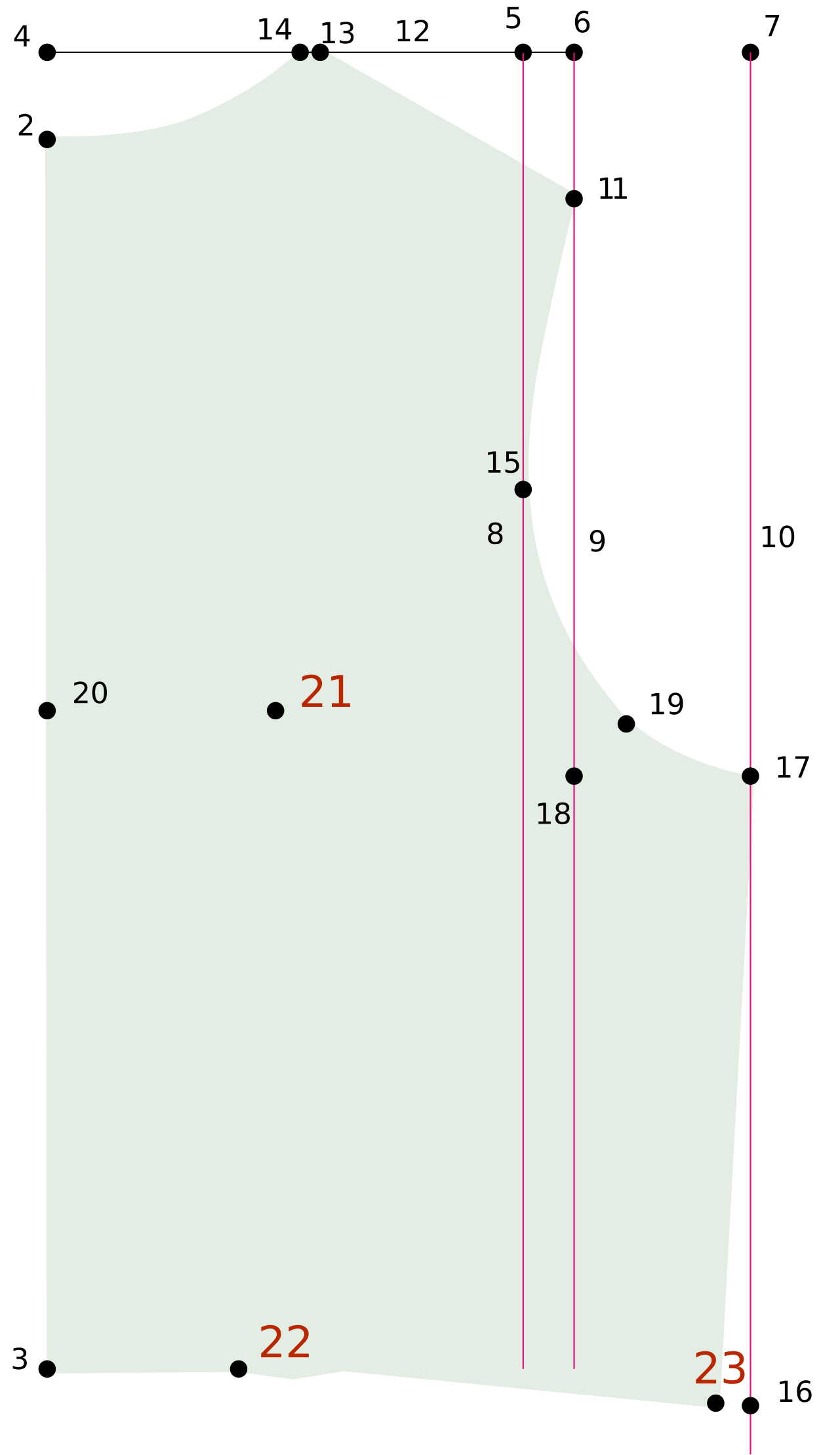
21Blade Apex
Base:20Blade Ht
X: {Blade Apex Back} / 2
Points > Add Point from Point
22Dart P1
Base:3Center Waist
X: [Measure 20Blade Ht to 21Blade Apex] - 0.5" or 13 mm
This measures the waist width on the draft and subtracts the actual waist width to determine the difference. 25% is applied at the side waist and 75% is dart intake.
 Layers > Add Layer
 Points > Add Free Point
 Points > Add Point from Point
 Lines > Add Reference Line
 Points > Point on Line at Distance
 Lines > Add Line
 Points > Add Point from 2 Points
 Points > Bisect Points
 Points > Add Point on Vector
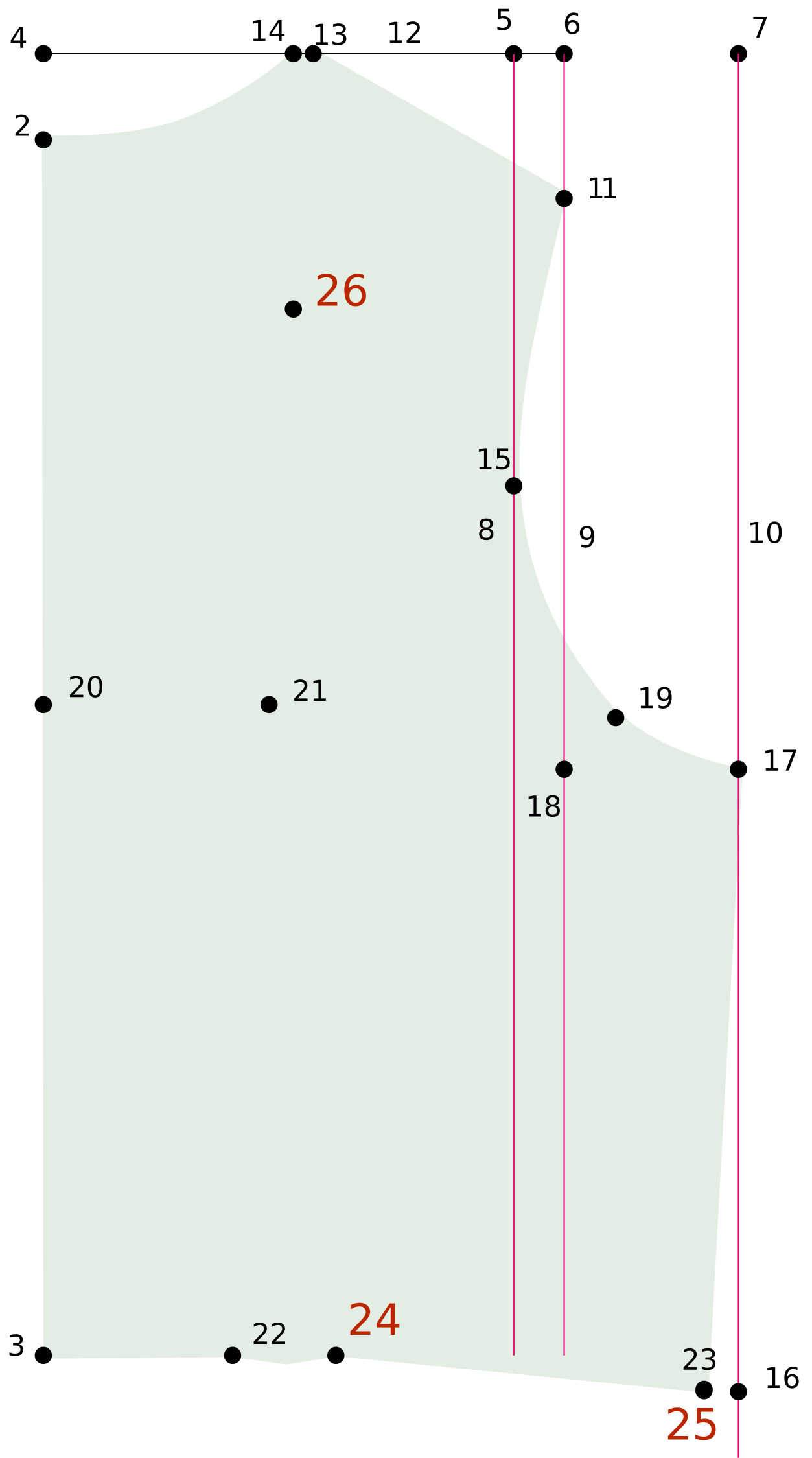
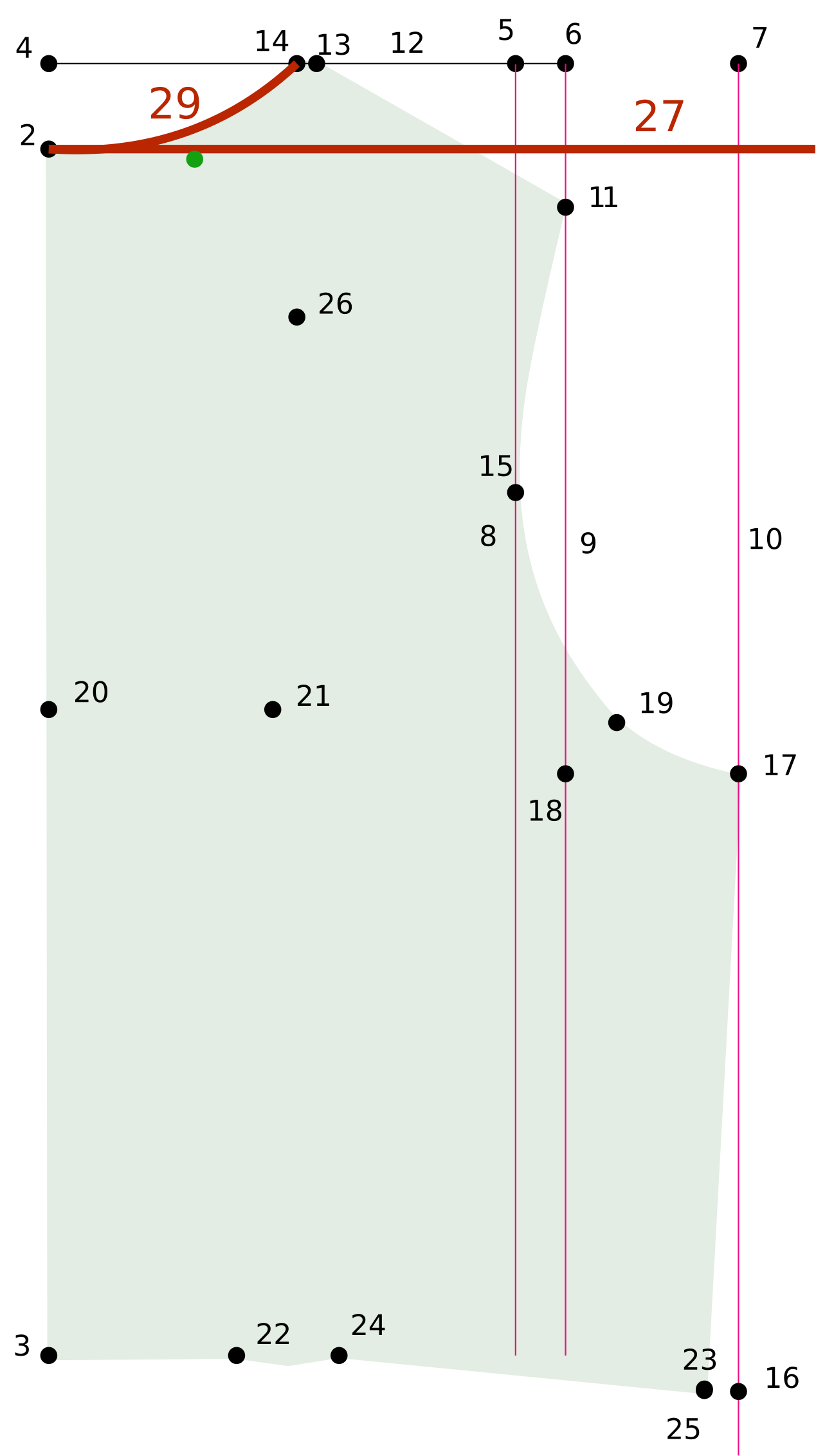
 Curves > Add Curve
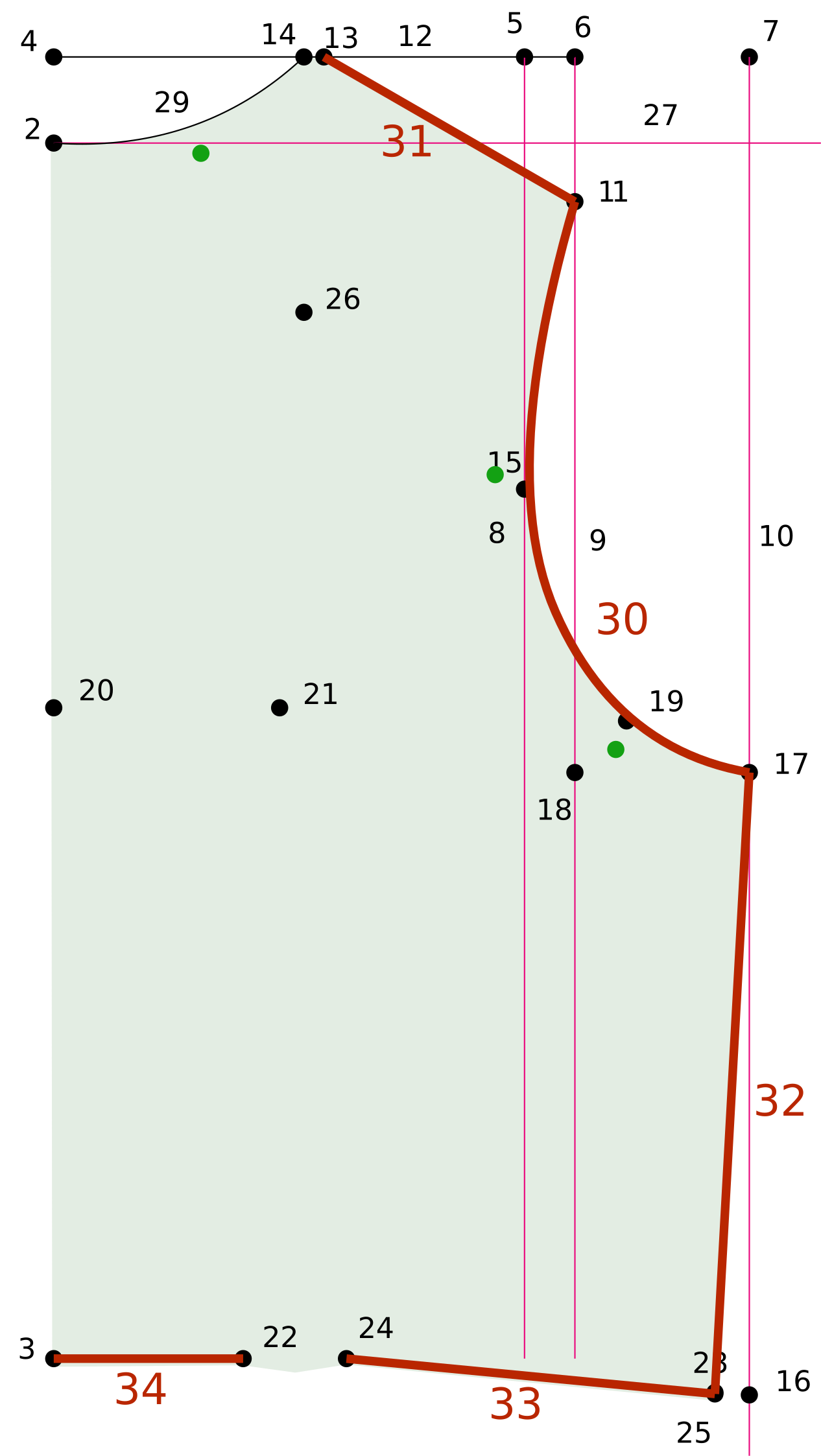
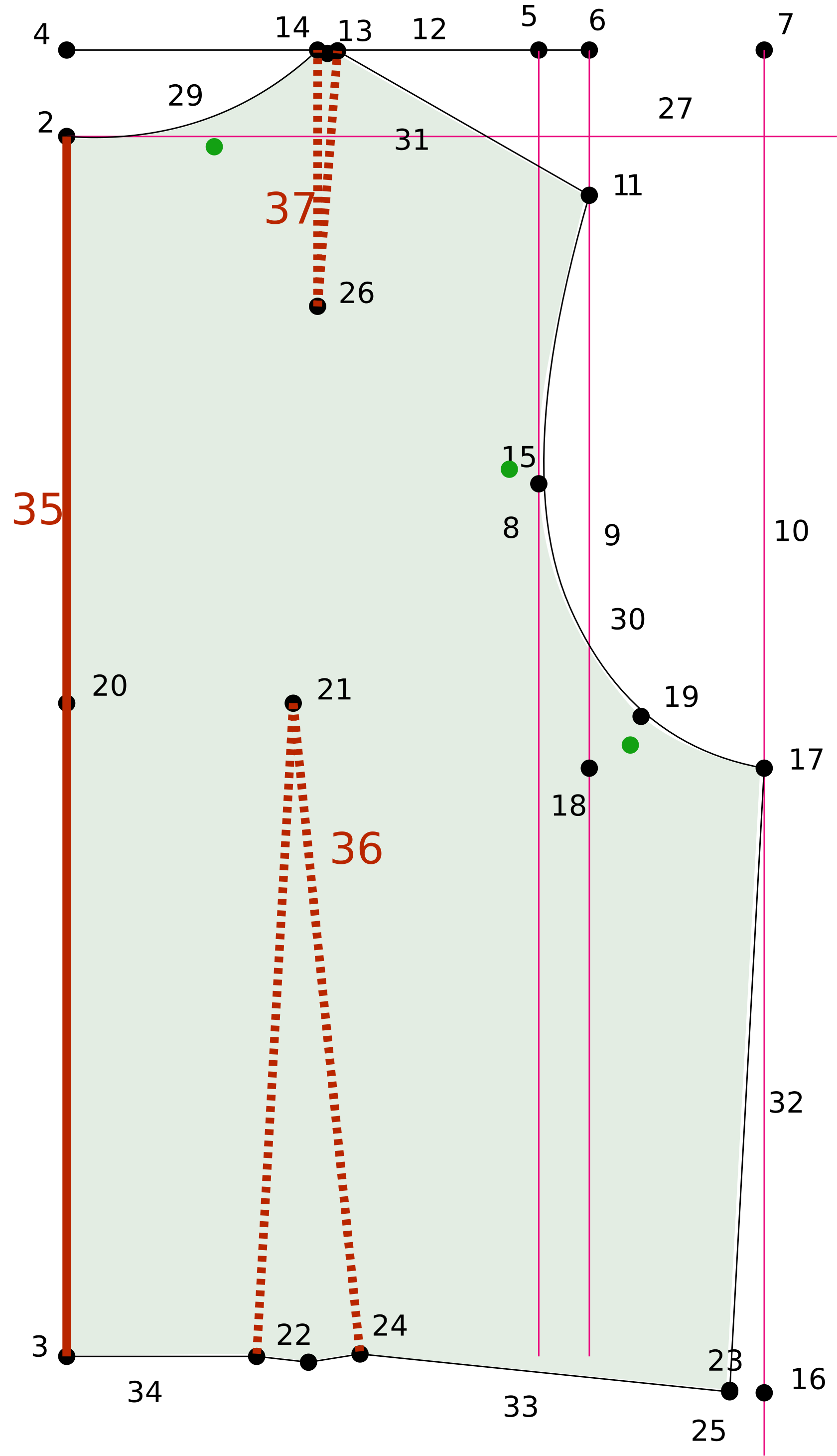
 Darts > Register Dart
 Finish > Change Line/Curve Seam Allowance
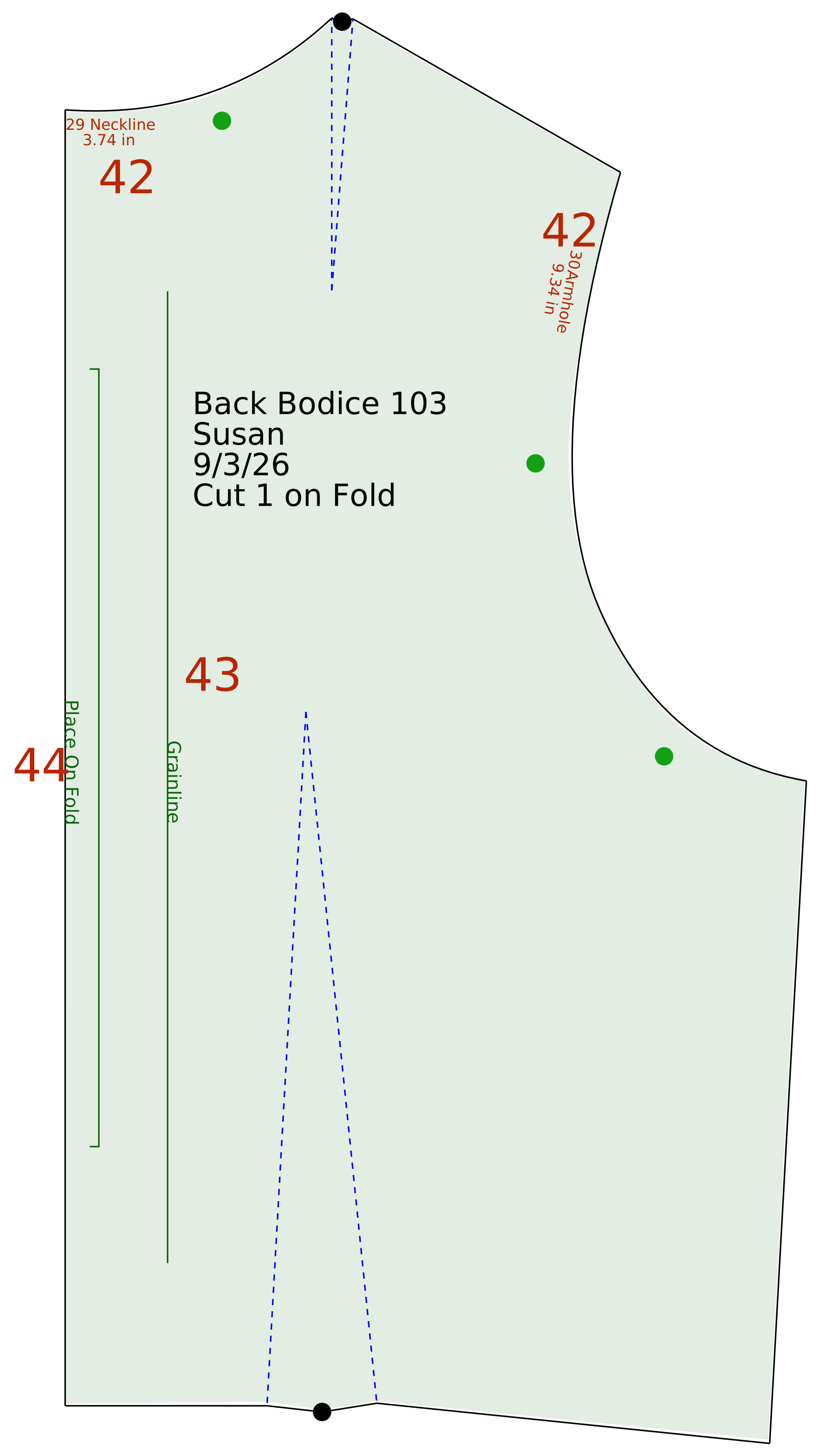
 Finish > Curve Truing
 Finish > Add Text at Point
 Layers > Layer Visibility
 Finish > Add Measurement Text
 Finish > Add Grainline
 Finish > Add Cut on Fold
 Finish > Hide Points
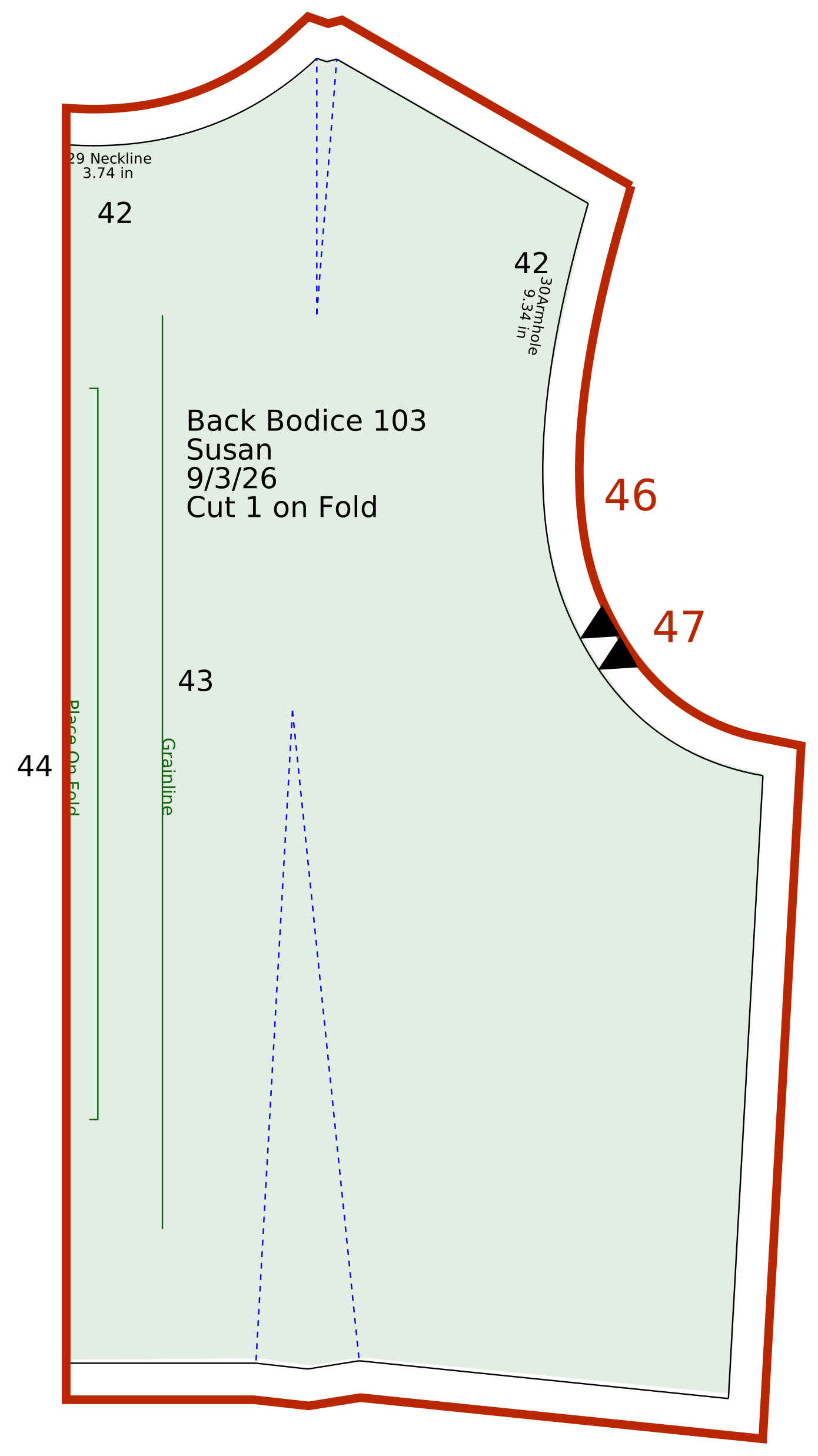
 Finish > Add Seam Allowance to Pattern
 Finish > Add Notch